
Search And Replace
Serialized-data-aware MySQL search & replace with dry-run preview, automatic backups and one-click restore.
Version 1.0.0 · Store extension · requires PHP 7.4+ with
mysqliSafely search and replace strings (including domains) in MySQL databases with serialized-data awareness, dry-run preview, automatic backups and restore.
Search And Replace rewrites strings across a MySQL database without corrupting serialized data — the classic WordPress migration problem. PHP-serialized values get their length prefixes regenerated, JSON columns are re-encoded, plain text is replaced directly. Every write run is preceded by a mandatory gzipped mysqldump, restorable in one click.
Typical uses: domain migrations (old → new domain across wp_options, wp_postmeta, page builders…), and bulk literal-text replacements.
Run tab
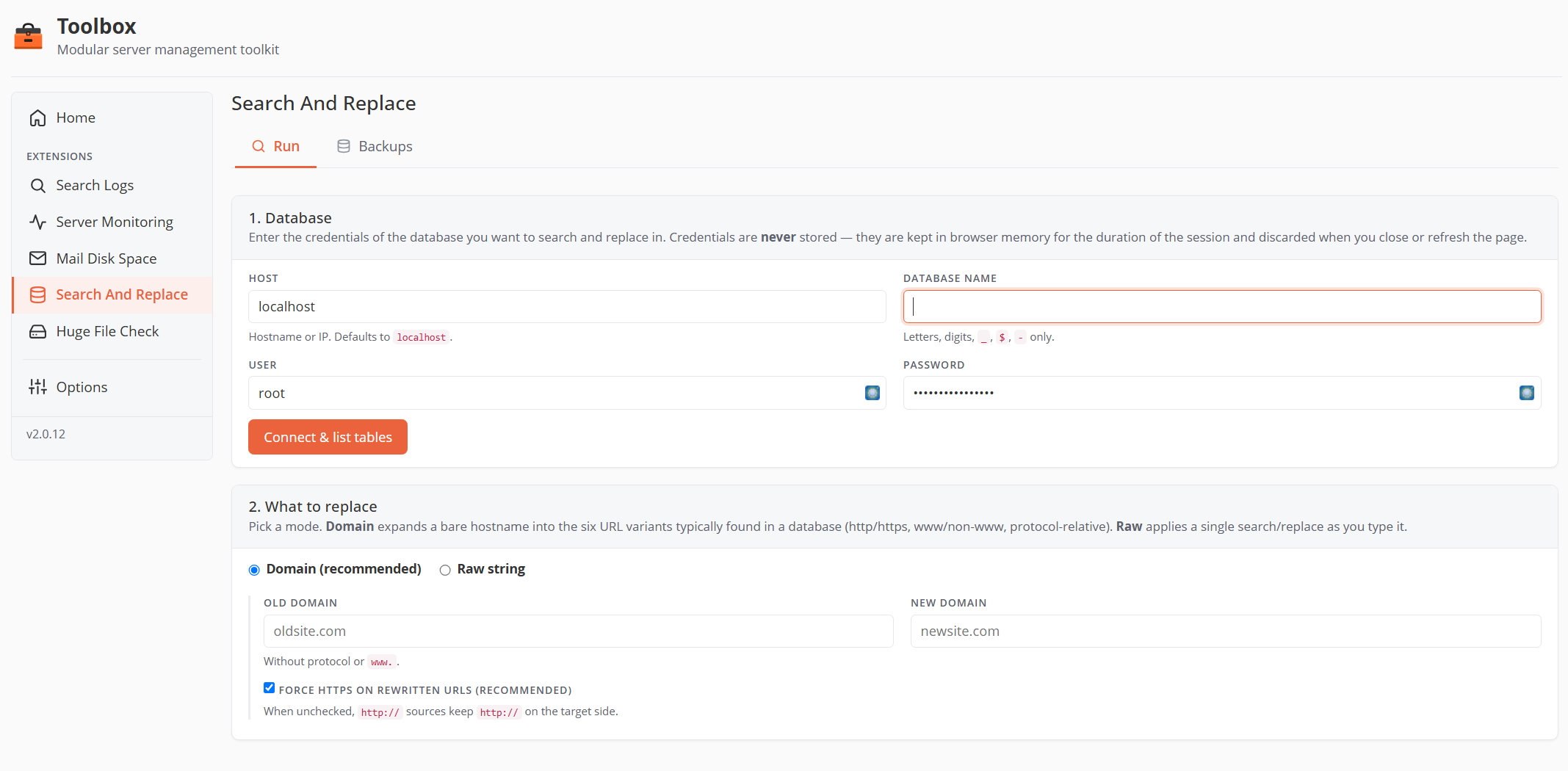
The workflow is four numbered steps on one page:
1. Database
| Field | Default | Notes |
|---|---|---|
| Host | localhost |
Hostname or IP. |
| Database name | — | Letters, digits, _, $, - only (max 64 chars). |
| User / Password | — | MySQL credentials. |
Credentials are never stored — not on disk, not in session, not in cookies. They live in PHP memory for the duration of each request and in your browser's memory for the page lifetime (so the Restore modal can pre-fill them). The fields actively block password-manager autofill to avoid the wrong credentials being injected.
Click Connect & list tables — the extension introspects the schema and reveals steps 3 and 4.
2. What to replace
Two modes (radio):
- Domain (recommended) — enter the bare old domain and new domain (no protocol, no
www.). The tool expands them into the six URL variants found in real databases —https://www.,http://www.,//www.,https://,http://,//— applied in a safe order, with a live preview of the exact patterns.- Force HTTPS on rewritten URLs (checked by default): every variant rewrites to
https://; uncheck to preserve each URL's original protocol.
- Force HTTPS on rewritten URLs (checked by default): every variant rewrites to
- Raw string — a single literal search/replace pair (no regex). Serialized PHP and JSON are still handled transparently.
3. Tables & columns
A checklist of every table (with row count, size, engine), all checked by default. Expand a table to toggle individual text columns (CHAR/VARCHAR/TEXT/JSON — BLOB/BINARY columns are never touched). Tables without a primary key are listed but skipped (no safe UPDATE possible) with a warning.
4. Run
- Dry-run (preview only) — scans everything, modifies nothing, and shows what would change.
- Run with backup — takes the mysqldump first, then applies the changes. A confirmation modal requires you to type the database name before the button unlocks.
Results
After either operation: a summary (changes found, tables touched, duration), a per-table breakdown with View changes modals, a sample grid of before/after values (truncated to 200 chars), any warnings (skipped tables, etc.), and — after a real run — the name of the backup that was created.
Progress is polled every second during long scans (current table, rows scanned/modified). A lock prevents two operations from running at once.
Backups tab
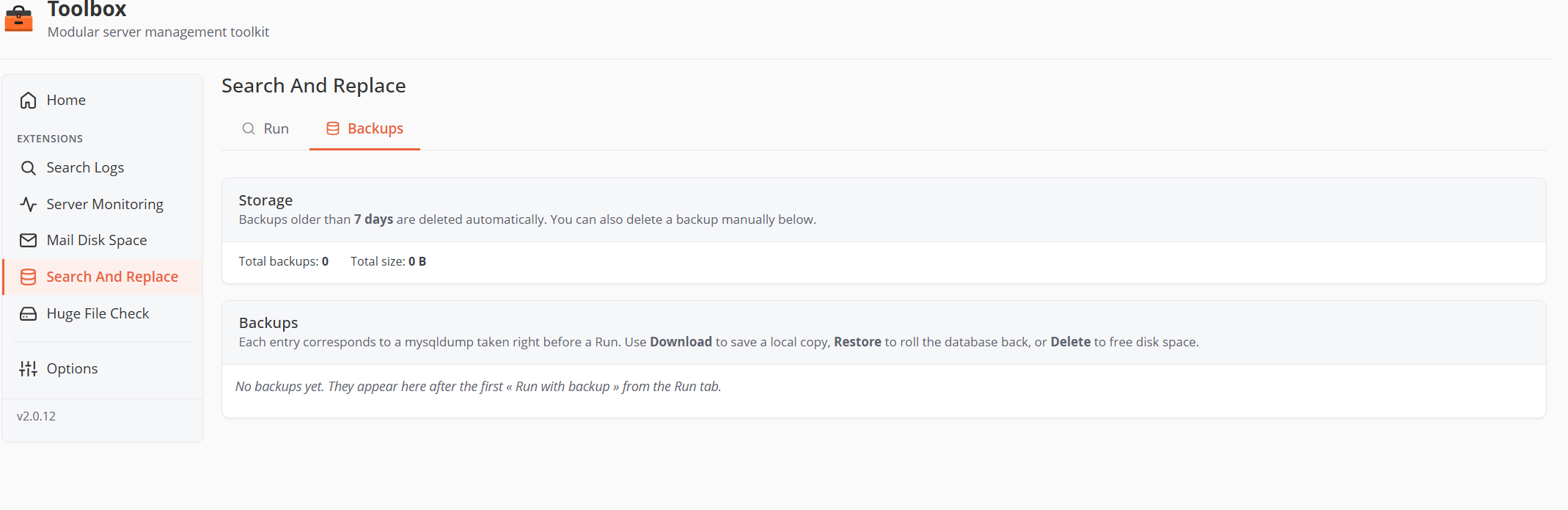
Each entry is the mysqldump taken right before a Run.
- Storage summary — backup count and total size. Backups older than 7 days are deleted automatically (checked on every page load).
- Per-backup: database, created/expires timestamps, size, the operation it preceded (mode + search/replace strings), and:
- Download — the raw
.sql.gz. - Restore — opens a modal (credentials pre-filled from your last connection if available, type-to-confirm the database name). Restoring drops and re-creates the tables in the dump, then re-imports all rows — changes made after the backup are lost.
- Delete — permanent (confirmed).
- Download — the raw
What's inside a backup
mysqldump --single-transaction --quick --routines --triggers --events --skip-lock-tables --no-tablespaces --set-charset --default-character-set=utf8mb4, gzip-compressed (level 6), named <dbname>-YYYYMMDD-HHMMSS.sql.gz, stored root-only under extensions/search-and-replace/var/backups/. Dump and restore each have a 1-hour timeout ceiling.
How replacements stay safe
| Data shape | Handling |
|---|---|
PHP-serialized (s:14:"http://old.com";) |
Unserialized with allowed_classes => false (no object instantiation), strings replaced recursively, re-serialized — length prefixes regenerated. Cells containing serialized objects fall back to raw replacement with a warning. |
| JSON | Decoded, strings replaced recursively, re-encoded. |
| Plain text | Direct literal replacement, in variant order. |
Other guardrails:
- Identifiers (db/table/column) validated against a strict whitelist and against the live schema.
- Updates run in transactions, committed every 500 rows; rows are streamed (flat memory usage on huge tables).
- The MySQL password is passed to
mysqldump/mysqlvia a 0600--defaults-extra-filetemp file — never on the command line (invisible tops). - Search and replace strings must differ; empty search is refused.
Defaults & limits (settings.default.json)
| Setting | Default |
|---|---|
| Dry-run sample size (per table) | 50 |
| Backup compression level (gzip) | 6 |
| Backup retention | 7 days |
| Before/after preview length | 200 chars |
| Update batch size (rows per transaction) | 500 |
| MySQL connect timeout | 5 s |
(v1.0.0 has no settings UI — these can be tuned in the extension's config/settings.default.json if needed.)
Data & file map
| Path | Purpose |
|---|---|
extensions/search-and-replace/var/backups/ |
.sql.gz dumps (0600, dir 0700) |
extensions/search-and-replace/var/history.json |
Audit log — every backup/restore/run/dry-run, capped at 500 entries |
extensions/search-and-replace/var/operation.lock / operation-status.json |
Run mutex / live progress (ephemeral) |